


Delivery specifications

1

Dimensions

We use 3 template sizes for all of our albums; square, landscape or portrait. The templates are made for the biggest size of each album type. These sizes are the end final design sizes, and include safety margins of 1cm. Please don’t place important elements within the safety margins as they can be cut clean.

Square albums: 610x305mm @300 DPI sRGB / 7205×3602 px
Landscape albums: 813x305mm @300 DPI sRGB / 9602×3603 px
Portrait albums: 610x407mm @300 DPI sRGB / 7205×4807 px

2

Design your album

You always deliver spreads, in one of the three dimensions. No separate pages or separate photos. A spread is two pages. You will deliver the spreads to us as a sequence of JPG files (no PDF). Your filenames should be in a ascending order  (album_01.jpg, album_02.jpg, album_03.jpg etc.). There are no half spreads in our lay-flat albums. The first and last spreads are a full spread.

3

Album Software

We recommend using album design software. These apps have built-in templates that match our specifications. In addition, they significantly simplify the design process. We also have our own app, which you can use for free as a Dutch Ink customer: Photoalbums.Studio

4

Check

Black backgrounds are only possible on Photo Paper, and not possible on Fine-Art paper. Keep in mind to place your photos at least 1cm of the edge (of your actual book size) if you wish to have a white border around the photo’s in your album. The templates sizes are 30×30/40×30; white border is 1cm. For a 15×15/20×15 album you need at least 2cm of white border.
Double check your files before delivering them for print. Make sure your photos have been exported in the highest resolution, and your spreads are ready for print. We don’t sharpen or do color correction on your files. We print exactly what you give us.

5

Deliver files

Once your order has been placed and paid for, you’ll arrive at the confirmation page. There you’ll see your order number and a button to upload your files via WeTransfer. You can also use the built-in Upload to Lab feature within Photoalbums.Studio. You can always find the details of your order in your account, under My Orders.

6

Production

You are all done! After you have placed the order, payed the invoice and send the files to us. We will now begin production of your order. Our team will start printing the files and producing your custom album cover and box for you. You can download the invoice at your Account / Orders page.

PHOTOALBUMS.STUDIO

Free to use by Dutch Ink Albums customers
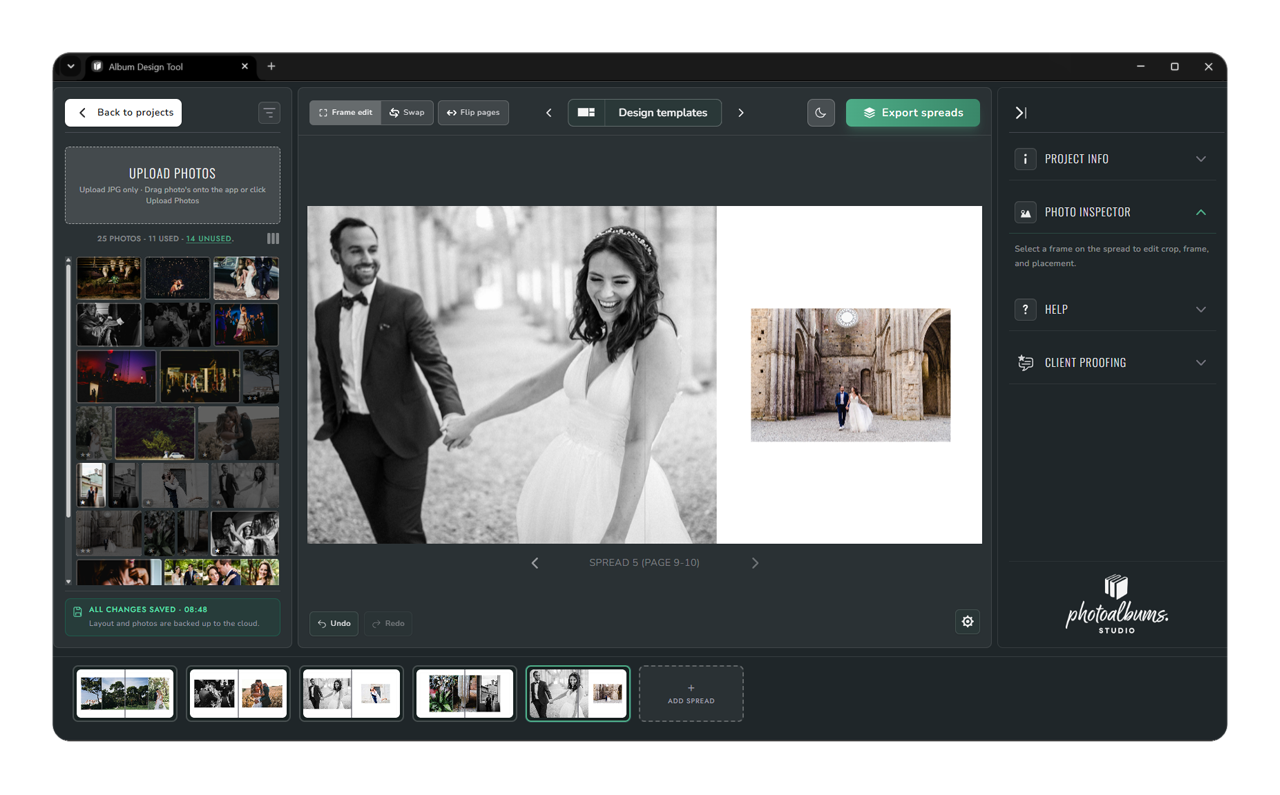
With Photoalbums.Studio, you can easily create print-ready album designs from your professional photos using built-in templates — directly in your browser. All the features you need for album design apps, bundled into one online app. As a Dutch Ink customer, you can use the Upload to Lab functionality for free to deliver your files directly to us.

SmartAlbums

Smart Albums is a proven design app for quickly and easily designing photo albums and sharing proofs. In Smart Albums, you’ll also find our specific Dutch Ink Albums templates. With these templates, your files always comply with the specifications. Read more about SmartAlbums

.

Pic-Time 2.0

The Pic-Time platform offers the most beautiful online client experience for delivering your photos to your customers. In Pic-Time, your clients will also find a built-in Shop and powerful marketing automation. The Shop also includes an album design section that you, as a customer, can use. Pic-Time is a complete solution for the professional photographer. Read more about Pic-Time here.

InDesign / Photoshop

You can also use InDesign or Photoshop to design your photo albums. Make sure your files have to correct dimensions. You can also download our InDesign / Photoshop templates below;
InDesign Templates /
Photoshop Templates

COVER TEMPLATES

If you order a photo album with a photo cover like the Mondriaan or the Avercamp albums, you will need one of our cover templates. To use the templates to design your photo cover, you will need Adobe Photoshop. Download the correct template file, open in Photoshop and design the cover as you want it. The red areas in the template are part of the fold over and will not be visible on the cover. So make sure there is no important content in this area. Be sure to stretch or mirror your photo in this area, for the best result. Export your cover as JPG file ie: Cover.jpg and deliver the cover file together with the rest of your spreads by making use of our WeTransfer with the correct order number.

Register to discover our pricing

Register as a photographer and get access to our prices and order form. Order your first demo album with a 40% discount! Experience our sharp prints and the high level of detail we produce our albums with. We produce premium photo albums with a love for best Fine-Art and photo papers.

Fast shipping within Europe
Bank/creditcard
Paypal
Quality control